 Homepage Image Quiz
See the Image. Answer the Quiz.
Study the image for 15 seconds, then answer 5 questions in 60 seconds.
Think fast. Answer Smarter.
60 seconds · 2 questions · 4 options each · New image every Wednesday and Sunday



12K+ players are playing daily
Current Challenge
60
Seconds
2
Questions
Biweekly
Cadence
New image every Wednesday and Sunday
This set went live November 1, 2026
Free to Play
No hidden paywalls or premium lockouts, ever.
Top 6% "Mastermind"
Only the sharpest minds hit a perfect score today.
No Sign-Up Required
Jump straight into the quiz. Zero friction, instant play.
4.8/5 User Rating
Loved by thousands of daily trivia players worldwide.
EXPLORE MORE
Other Quiz Categories
More ways to challenge yourself and grow your knowledge. Choose a quiz and keep learning every day.
Bing Homepage Image Quiz
Study the image for 15 seconds, then answer 5 questions about it.
60 Sec
5 Questions
Play Quiz
Bing Daily Quiz
Fresh questions every day across six knowledge categories.
45 Sec
5 Questions
Play Quiz
Bing Homepage Quiz
One question for each day of the week's Bing Homepage.
65 Sec
7 Questions
Play Quiz
Bing Weekly Quiz
Twelve questions. One deep weekly challenge.
150 Sec
12 Questions
Play Quiz
Bing News Quiz
Ten questions on this week's biggest headlines.
80 Sec
10 Questions
Play Quiz
Bing Entertainment Quiz
Movies, music, and pop culture await.
60 Sec
8 Questions
Play Quiz
Bing Education Quiz
Universities, educators, and how the world learns.
60 Sec
8 Questions
Play Quiz
Bing Fitness Quiz
Exercise science, nutrition, and wellness myths.
60 Sec
8 Questions
Play Quiz
Extraordinary Women Quiz
Scientists, leaders, and activists who changed the world.
60 Sec
8 Questions
Play Quiz
Bing Environment Quiz
Climate, oceans, wildlife, and the planet we share.
65 Sec
7 Questions
Play Quiz
Bing UNESCO Quiz
World Heritage Sites from every continent.
60 Sec
8 Questions
Play Quiz
Bing Social Media Quiz
Platform history, viral culture, and the creator economy.
50 Sec
6 Questions
Play Quiz
Bing Sloth Quiz
Sloth biology, behaviour, and surprising facts.
80 Sec
10 Questions
Play Quiz
Bing Australia Quiz
Geography, wildlife, history, and famous Australians.
80 Sec
8 Questions
Play Quiz
Bing Moon Quiz
Lunar science, Apollo missions, and Moon mythology.
60 Sec
8 Questions
Play Quiz
Bing Lakes Quiz
Lake records, geography, ecology, and conservation.
80 Sec
8 Questions
Play Quiz
Bing Golf Quiz
Golf majors, legends, rules, courses, and history.
80 Sec
10 Questions
Play Quiz
Ready for Today's Challenge?
Test your knowledge. You have 60 seconds. 2 questions. Let's go!
60
Seconds
2
Questions
4
Options each
Quick Rules
- Answer all 2 questions before time runs out.
- You can go back and change answers before submitting.
- The 60-second timer starts as soon as you click Start Quiz.
New questions every day at midnight
0:60

Question 1 / 2
1. Who received the Nobel Peace Prize on 14 October 1964 for his nonviolent civil rights work?
2. The Cuban Missile Crisis began to unfold in October 1962 after a US aircraft photographed Soviet missiles in which country?
You can go back and change your answers before submitting

Well Done!
You're a Rank
Your Score
0/0
0%Correct Answers
0
Time Taken
0 s
ABOUT THE HOMEPAGE QUIZ
What is the Bing Homepage Quiz?
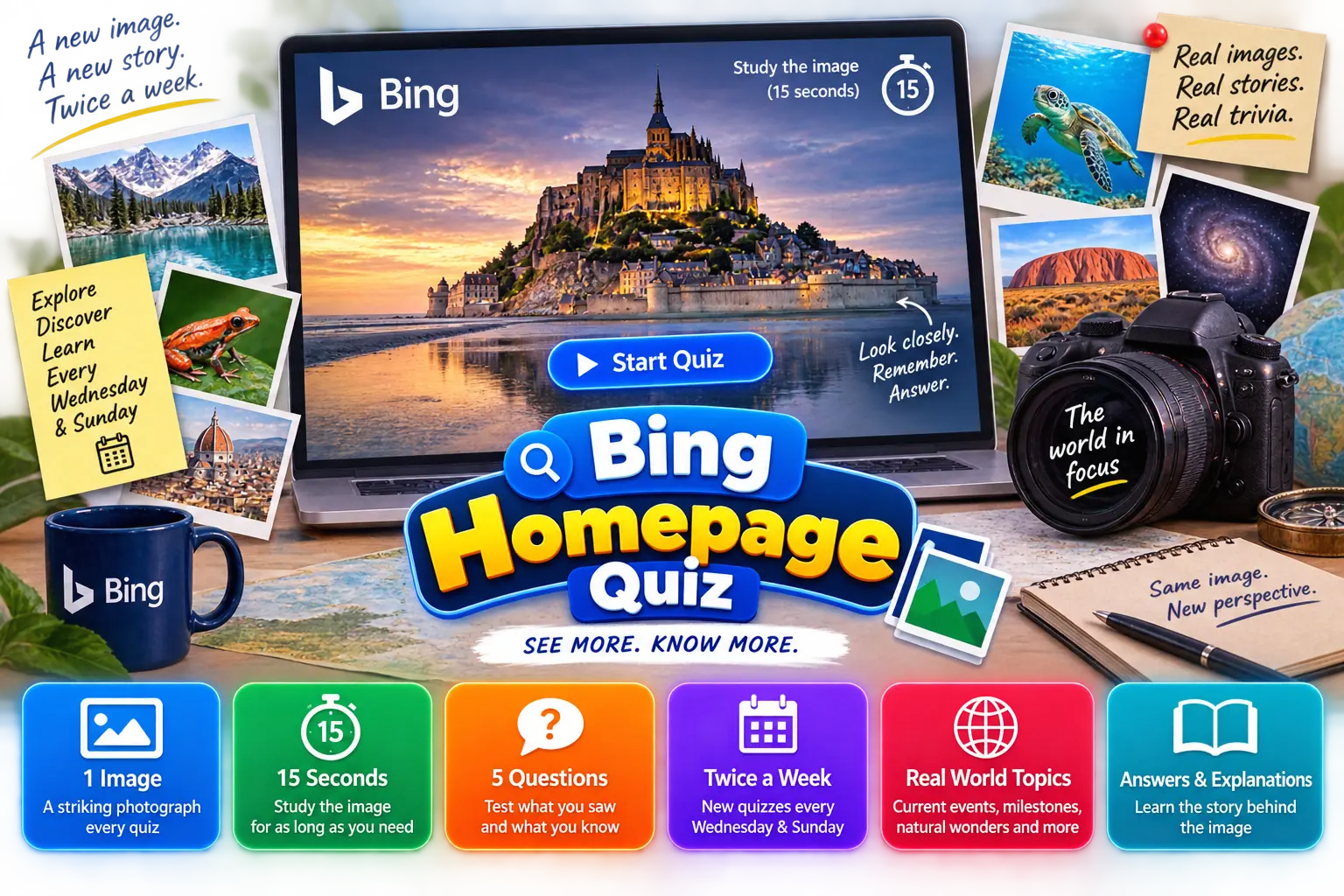
The Bing Homepage Quiz on BingQuiz.org is an image-based visual trivia challenge built around a single photograph and 5 questions connected to its subject. A new image and question set publishes every Wednesday and Sunday at midnight, giving players a fresh visual and trivia challenge twice every week.
The format starts with the image. Click Start Quiz and a striking photograph appears on screen with a 15 second countdown. Study it for as long as you need. The moment you feel ready, click Start Quiz to begin. The image disappears, and 5 questions appear based on what you observed and what you know about the subject shown.
Images are selected by the BingQuiz team based on current events, significant dates, and subjects worth exploring that week. A major global event, a cultural milestone, a natural wonder, a significant anniversary. The image changes with what is happening in the world, making every quiz feel relevant to the moment it was published.
Every question connects directly to the subject shown in the image. After submitting, all 5 correct answers are revealed alongside a short explanation covering the story behind that week's subject.
HOW TO PLAY
How to Play the Bing Homepage Quiz
See the image, then answer 5 questions before the 60-second timer runs out.
-
01
See the Image
Click Start Homepage Quiz on the Bing Homepage Quiz. The image appears on screen with a 15 second countdown. Study it carefully. Click Start Playing whenever you feel ready.
-
02
Answer the Questions
The image disappears, and 5 questions appear one at a time on the Homepage Image Quiz. Go back to any earlier question if you want to change an answer before the 60 second timer runs out.
-
03
See Your Results
Once you submit your score, your rank, and a short explanation for every answer appear on the same page of the Visual Quiz Online on BingQuiz.
WHY THIS WAY
Why we designed the Bing Homepage Quiz this way
Most image-based quizzes keep the image visible throughout. We made a different decision deliberately.
When an image stays on screen while questions appear, the quiz becomes a reading exercise. The player glances at the image, reads the question, glances back, and answers. The image becomes a reference tool rather than the actual challenge. That is not what the Bing Homepage Quiz is built around.
By giving players 15 seconds to observe the image before it disappears, the format tests two things simultaneously. First, it tests observation — how much detail can you consciously register and retain in a short window. Second, it tests knowledge — what do you actually know about the subject you just saw?
The 15 second window was chosen based on how the human brain processes and retains visual detail. Less than 10 seconds and players do not have enough time to process what they are seeing. More than 15 seconds and the observation challenge disappears entirely.
The Start Playing button gives players control. If you identify the subject immediately, you do not have to wait. Click Start Playing the moment you feel ready, and the questions appear. The 15 seconds is a maximum, not a requirement.
15s
to observe
5
questions after
IMAGE SELECTION
How the image is selected
Every image published on the Bing Homepage Quiz is selected by the BingQuiz team before it goes live. The selection follows a consistent set of criteria to ensure each image is visually rich, factually interesting, and capable of supporting 5 distinct questions around its subject.
Images are drawn from a broad range of themes including world landmarks, wildlife, nature, geography, science, space, art, and culture. The theme is guided by what is happening in the world that week. A major global event, a cultural milestone, a significant anniversary, or a natural phenomenon that deserves attention. The image changes with the moment, making every quiz feel relevant to the week it was published.
Before any image goes live, the subject is confirmed, the context is researched, and all 5 questions are built around verified information related to that subject. The image and its question set are reviewed together as a single unit before publishing.
A new image and question set goes live every Wednesday and Sunday at midnight on the Bing Homepage Quiz.
Selection criteria
Visually rich
Holds attention for 15s
Factually interesting
Supports 5 questions
Relevant to the week
Tied to what's happening
TIPS
Tips for the Bing Homepage Quiz
1
Identify the subject first.
The moment the image appears, focus on identifying what it is. A landmark, a species, an event, a person. Once you know the subject, most questions become answerable even without noticing every detail in the image.
2
Scan actively, not passively
15 seconds is short. Do not just look at the image; read it. Look for location clues, text, architectural style, natural features, or anything that gives context. Every detail you register is a potential answer.
3
Click Start Playing when ready.
You do not have to wait the full 15 seconds. The moment you feel confident about what you saw, click Start Playing and get to the questions. Experienced players who identify the subject quickly use this to their advantage.
4
Use the go back feature
If a later question triggers your memory about an earlier one, go back and update your answer before the 60 second timer runs out. Questions on the same image are often connected.
5
Read the explanations
Every explanation covers the full story behind the correct answer. What you learn from one quiz often connects to a future one.
FAQ
Frequently asked questions
Find answers to the most common questions about the Bing Homepage Quiz. Everything you need to know before you start playing.
Can I replay the same Bing Homepage Quiz?
Yes. The current image and question set stays live until the next one publishes on Wednesday or Sunday at midnight. You can replay as many times as you like during that window.
What happens if the image does not load?
If the image does not load, refreshing the page will reload both the image and the question set. If the issue persists, it may be related to your internet connection or browser settings.
Can I suggest an image for the Bing Homepage Quiz?
Yes. BingQuiz welcomes image and topic suggestions from players. You can submit your suggestion through the Contact page, and the BingQuiz team will review it for a future quiz.
Is BingQuiz.org affiliated with Microsoft or Bing?
No. BingQuiz.org is an independently operated, ad-supported trivia platform. It is not affiliated with, endorsed by, or sponsored by Microsoft Corporation or the Bing search engine.